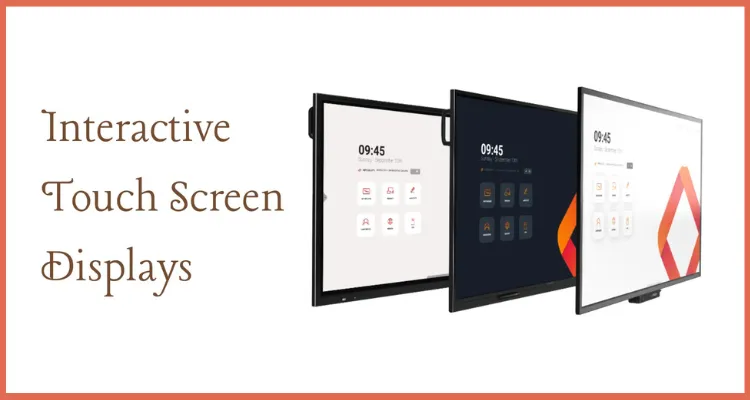
What are interactive displays?
Interactive displaysare large 4K touch screens that replace the projector, the whiteboard and the meeting-room TV with one panel you can write on, present from and share to. UAE offices use them for hybrid meetings and project reviews, and schools use them as the main teaching surface in each classroom.
You will also see them called smart boards, interactive whiteboards, interactive flat panels or interactive screens. The names describe the same idea: a wall-mounted or trolley-mounted display with multi-touch, built-in whiteboard software and wireless screen sharing from laptops, tablets and phones.
If you are looking for a desk-sized screen for signing, drawing or annotating documents, that is a pen display, not an interactive display. See ourWacom pen displaysfor that use.
Interactive display vs smart board vs projector whiteboard
Most buyers in the UAE are replacing one of three setups. This comparison shows where a modern interactive display fits.
| Setup | How it works | Best for | Main drawback |
|---|---|---|---|
| Interactive display (flat panel) | Touch screen with built-in whiteboard and casting | Meeting rooms, classrooms, training rooms | Higher upfront cost than a projector |
| Projector smart board | Projector shines onto a touch-sensitive board | Low-budget rooms with existing projectors | Shadows, lamp replacement, lower brightness |
| Standard TV or monitor | Display only, no touch | Digital signage and video calls | No writing or annotation |
| Dry-erase whiteboard | Marker on board | Quick sketches | Nothing is saved or shared |
In short, a smart board is the older projector-based version of the same idea. Flat-panel interactive displays are brighter, need no lamp or alignment, and keep working in bright rooms.
Interactive displays for business meeting rooms
In a meeting room, an interactive display does three jobs: it shows the presentation, it is the whiteboard, and it is the screen for video calls.
- Wireless sharing:staff cast a laptop or phone to the screen without hunting for cables.
- Annotate over anything:mark up a drawing, a spreadsheet or a slide, then save or email the result.
- Hybrid meetings:run Teams or Zoom on the panel or a connected PC so remote colleagues see the same board.
- Fewer devices:one panel replaces the projector, the screen and the flipchart.
Many offices roll interactive displays out alongside lobby upgrades such as avisitor management systemso meeting rooms and reception share the same modern setup.
Interactive displays for UAE classrooms
Schools in Dubai, Abu Dhabi, Sharjah and the northern emirates are moving from projectors to interactive classroom displays because they stay readable in bright rooms and need less maintenance.
- Multi-touch:several students can write or drag on the board at the same time.
- Lesson tools:built-in whiteboard, timers, quizzes and screen recording help teachers run and save lessons.
- Any source:connect a teacher laptop, a document camera or a student tablet.
- Lower running costs:no projector lamps, filters or re-alignment.
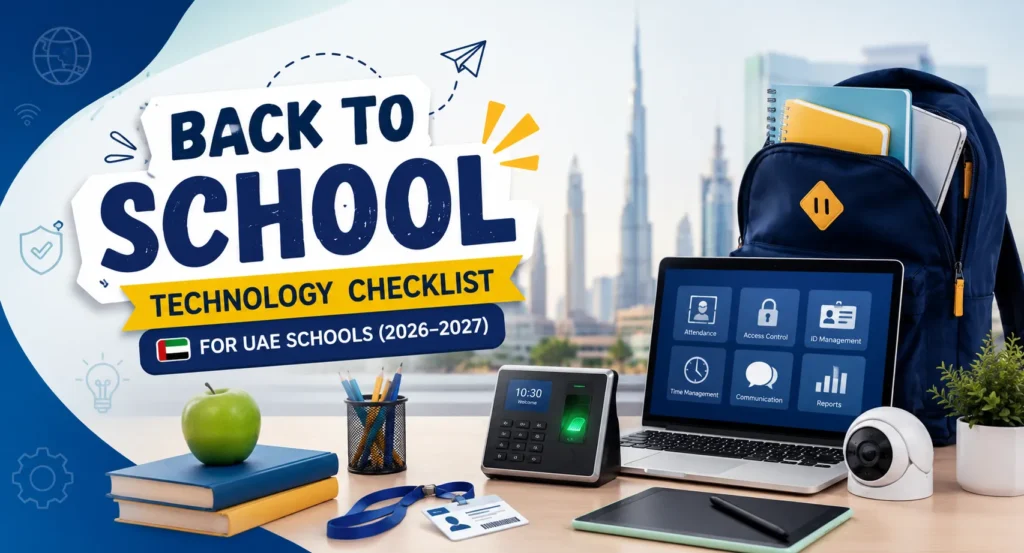
Schools upgrading classrooms often update student and staff ID at the same time. See our guide toID card solutions for schoolsfor that side of the campus.
Touch technology: IR vs capacitive
| Feature | Infrared (IR) touch | Capacitive touch |
|---|---|---|
| How touch is detected | Infrared beams across the screen edge | Sensor layer behind the glass |
| Works with | Finger, any pen or pointer | Finger and compatible stylus |
| Feel | Good, slight hover before contact | Very precise, like a tablet |
| Typical use | Classrooms and general meeting rooms | Design reviews and premium boardrooms |
Zero air gap bonding
Zero air gap bonding removes the space between the LCD and the cover glass. That cuts glare and parallax, so the ink appears exactly under the pen tip and the screen stays readable near windows.
4K UHD resolution
Most current interactive displays are 4K UHD, which keeps small text, spreadsheets and drawings sharp even when people stand close to the screen.
How to choose the right interactive display
- Size for the room:small huddle rooms usually suit 55 to 65 inches, standard meeting rooms and classrooms 65 to 75 inches, and large training rooms 86 inches or more.
- Built-in system or PC slot:decide whether the built-in Android system is enough, or whether you need a slot-in Windows PC (OPS) for your own software.
- Connectivity:check HDMI inputs, USB-C with touch-back, and wireless casting that works with your laptops and phones.
- Software:confirm the whiteboard, casting and device-management software is included and how updates are delivered.
- Mounting:choose a fixed wall mount, a height-adjustable mount for classrooms, or a mobile trolley for shared rooms.
- Warranty and service:ask who repairs the panel in the UAE and how quickly.
Supply and installation across the UAE
eTOP Trading LLC supplies interactive displays from Dubai and Abu Dhabi for offices, schools, universities and training centres across the UAE, including Sharjah, Ajman, Ras Al Khaimah, Fujairah and Umm Al Quwain. We help you size each room, choose mounts and accessories, and plan installation so the screens are ready for the first meeting or lesson.
Browse our wider range ofsecurity, ID and office technology productsor see how displays fit into a fullaccess controland building upgrade.
Frequently asked questions
What is an interactive display?
An interactive display is a large touch screen that combines a display, a digital whiteboard and wireless screen sharing. You can write on it, present from it and save or share what is on the board.
Is a smart board the same as an interactive display?
They do the same job. A smart board traditionally uses a projector and a touch board, while an interactive display is a single flat panel that is brighter, needs no lamp and works better in bright rooms.
What size interactive display do I need?
Match the size to the room and viewing distance. Huddle rooms usually suit 55 to 65 inches, meeting rooms and classrooms 65 to 75 inches, and large training rooms 86 inches or more.
Do interactive displays work with Teams and Zoom?
Yes, when you run the meeting app on the panel or on a connected PC and add a camera and microphone. Check which apps the built-in system supports before you buy.
Can you supply interactive displays outside Dubai?
Yes. eTOP supplies customers across the UAE from its Dubai and Abu Dhabi offices, including Sharjah, Ajman, Ras Al Khaimah, Fujairah and Umm Al Quwain.