

What Is an RFID Card?
An RFID card is a plastic credential with a tiny chip and antenna inside that a reader identifies by radio, without contact or a magnetic stripe. UAE offices, schools, hospitals and factories use RFID cards to open doors, record attendance, pass turnstiles, pay for canteen meals and print securely. Choosing the right one starts with a single rule: the card and the reader must use the same frequency and technology.
Quick decision: if you only need a card number for a basic door or attendance terminal, a 125 kHz proximity card works. If you need stronger security, stored data or one card for several systems, choose a 13.56 MHz smart card such as MIFARE DESFire or HID iCLASS.
How an RFID Card Works with a Reader
Most access cards are passive: they have no battery. The reader sends out a radio field, the card’s antenna coil picks up enough energy to power the chip, and the chip answers with its number or data.
- Present the card: the user holds the card near the reader, usually within a few centimetres.
- Read the credential: the reader captures the card number or reads an encrypted data sector.
- Check permissions: the access controller or software compares the credential with the user’s rights and schedule.
- Act and log: the door unlocks, the turnstile opens or the attendance punch is saved, and every event is recorded.
Because the card never touches the reader, there is no wear on contacts and a tap takes well under a second.
RFID Card Types by Frequency
125 kHz proximity cards (low frequency)
Proximity cards such as EM4100 and HID Prox carry a fixed ID number and little else. They are affordable and supported by most entry-level door and attendance terminals. See our HID proximity cards for a standard CR80 PVC option.
13.56 MHz smart cards (high frequency)
High-frequency cards have memory and support encryption, so one card can hold access, cashless and identity data. Common families include MIFARE Classic, MIFARE DESFire and HID iCLASS cards .
NFC
NFC is a form of 13.56 MHz RFID used by smartphones. Many modern smart cards and readers are NFC-compatible, which also makes mobile credentials possible on supported systems.
UHF tags (ultra high frequency)
UHF works over several metres, so it suits vehicle tags for parking barriers and asset tracking rather than tap-to-enter door cards.
125 kHz vs 13.56 MHz RFID Cards Compared
| Feature | 125 kHz proximity | 13.56 MHz smart card |
|---|---|---|
| Examples | EM4100, HID Prox | MIFARE Classic, MIFARE DESFire, HID iCLASS |
| Data stored | Card number only | Card number plus protected memory |
| Encryption | None | Yes (strength varies by family) |
| Copy resistance | Low | Medium to high |
| Multi-application use | Limited | Access, attendance, cashless and more |
| Typical read range | A few centimetres | A few centimetres |
| Best fit | Basic doors and attendance on a budget | Corporate, government, campus and multi-site security |
RFID Card Formats: PVC, Clamshell, Key Fob and Wristband
- Thin PVC cards (CR80, 0.76 mm): the same size as a bank card and printable in an ID card printer, so the access card doubles as a photo ID badge.
- Clamshell cards: thicker and very durable, but too thick for card printers; use an adhesive label for names or logos.
- Key fobs and tags: fit on a key ring and suit residential buildings, gyms and staff who do not wear a badge.
- Wristbands: waterproof options for pools, gyms, events and hospitals.
Where RFID Cards Are Used in UAE Workplaces
- Door access: card readers on offices, server rooms and stores, managed from one access control system .
- Attendance: card punches on time attendance terminals feed payroll and shift reports.
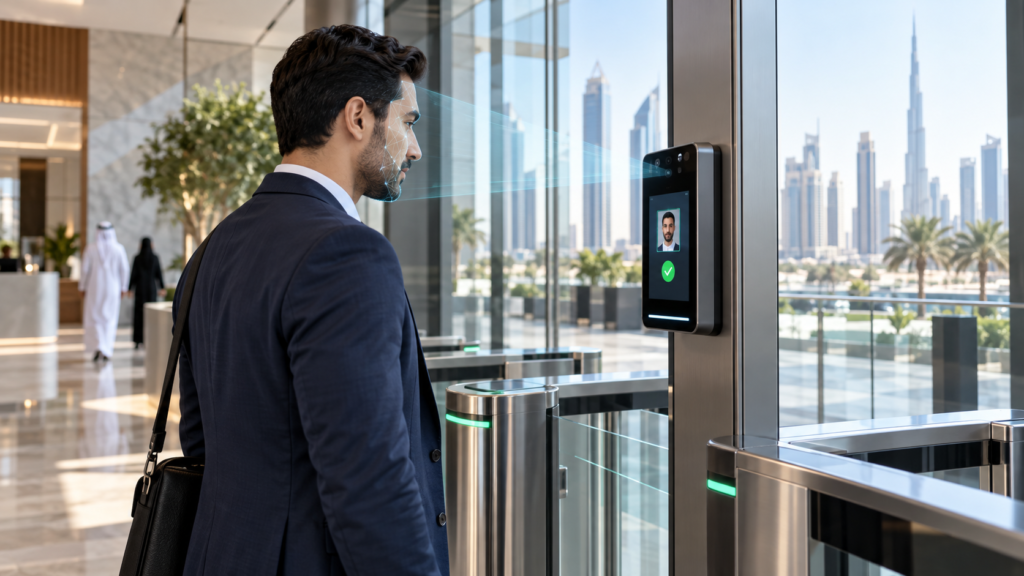
- Turnstiles and speed gates: lobby turnstile gates open for one valid card at a time.
- Canteens: staff tap to claim meals in a meal management system , with entitlements checked per shift.
- Visitors: temporary cards issued at reception through visitor management expire automatically.
- Parking and lifts: the same credential can control barriers and floor access where the readers support it.
How to Choose the Right RFID Card
- Check your readers first. Note the frequency and card technology your terminals support; a card the reader cannot read will not work, however good it is.
- Match the card format. Some systems need a specific number format or facility code, so share your reader model or an existing card when you order.
- Set the security level. Low-risk doors can use proximity cards; sensitive areas deserve encrypted smart cards, ideally combined with a PIN or fingerprint.
- Decide on printing. If the card will be a photo ID badge, choose printable thin PVC cards and a compatible printer.
- Plan for growth. Choosing a smart card now makes it easier to add canteen, printing or visitor functions later.
- Order spares. Keep blank cards for new joiners and replacements so badges can be issued the same day.
Printing Photo ID on RFID Cards
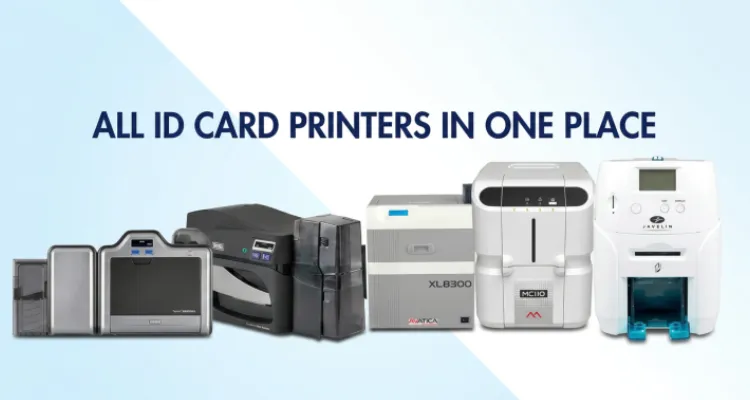
Printable RFID cards let one badge carry the employee photo, name, department and logo while it opens doors. Direct-to-card printers suit standard badges, while retransfer printers such as the HID Fargo HDP series print more evenly over the slightly uneven surface of chip cards. Printers with an encoding module can also write data to smart cards during printing.
Browse our ID card printers and card printer consumables , and use HID Omnikey readers at a desk to read or enrol cards into your software.
RFID Card Security Tips
- Know the limits of 125 kHz: proximity cards send an unencrypted number, so they can be copied with inexpensive tools.
- Avoid older smart card security where it matters: MIFARE Classic encryption has known weaknesses; MIFARE DESFire EV2 and EV3 use AES encryption.
- Add a second factor: pair the card with a PIN, fingerprint or face recognition for server rooms and cash areas.
- Disable lost cards immediately: remove the card from the system as soon as it is reported and issue a new one.
- Review logs: check access reports regularly for failed attempts and after-hours use.
Frequently Asked Questions
What is the difference between an RFID card and an NFC card?
NFC is a type of 13.56 MHz RFID designed for very short-range communication, including smartphones. Every NFC card is an RFID card, but 125 kHz proximity cards and UHF tags are RFID without being NFC.
Can any RFID card work with my access control reader?
No. The card must match the reader’s frequency and technology, and sometimes its card number format. Check the reader model or test an existing card before ordering a large batch.
Can RFID cards be printed with a photo?
Yes. Thin CR80 PVC RFID cards can be printed in an ID card printer with photos, names and logos. Thick clamshell cards cannot go through a printer, so they use adhesive labels instead.
Are RFID cards secure?
It depends on the type. Basic 125 kHz proximity cards are easy to copy, while encrypted smart cards such as MIFARE DESFire EV2 or EV3 and HID iCLASS are far harder to clone, especially with a PIN or biometric added.
Do RFID cards need a battery?
No. Access control RFID cards are passive and draw power from the reader’s radio field when presented, so they work for years without charging. Only long-range active tags carry batteries.
Can one RFID card be used for doors, attendance and the canteen?
Yes, when every reader supports the same card technology and the systems share the user database. A 13.56 MHz smart card is usually the better choice for multi-application use.