

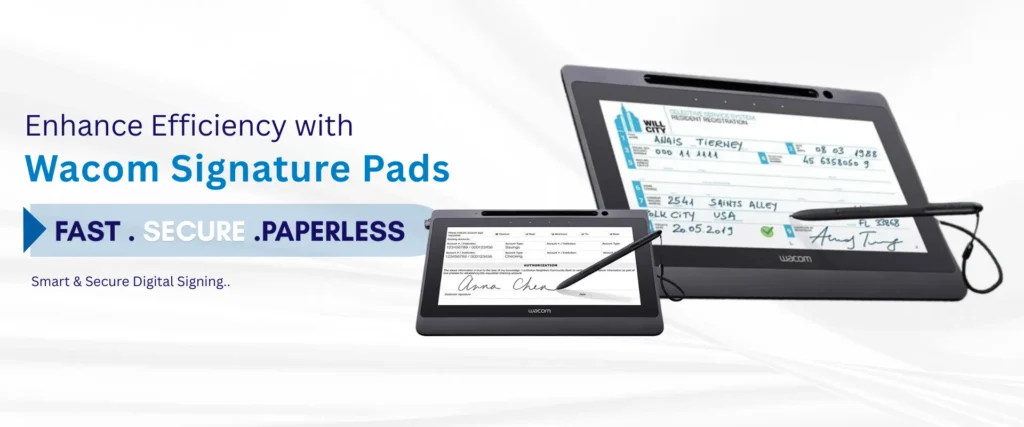
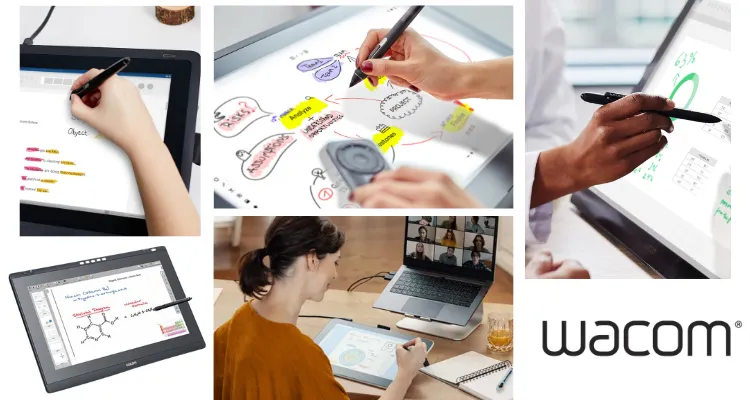
This guide covers the full range of Wacom tablets for schools — from entry-level pen tablets to professional pen displays — so teachers, IT coordinators, and department heads in the UAE can select the right device for their classroom, lab, or online teaching setup. By the end, you will know which Wacom model fits your institution’s level, budget bracket, and technical environment.
Key Takeaways
- EMR Battery-Free Pen Technology: All Wacom education models use Electromagnetic Resonance technology, eliminating pen charging schedules and reducing maintenance for shared equipment.
- Broad Ecosystem Support: Full compatibility with Windows, macOS, and key education platforms like Microsoft Teams, Zoom, and Google Classroom, with select models certified as “Works With Chromebook.”
- Scalable Product Families: Options range from entry-level student tablets (One by Wacom, Wacom Intuos) to interactive teacher and university displays (Wacom One, Wacom Cintiq 16, Wacom Cintiq 22).
- UAE Procurement & Support: Pricing, institutional volume bundles, and official UAE warranty support are available through eTOP.
What Are Wacom Education Tablets and Who Makes Them?
Wacom Co., Ltd. produces a structured range of pen tablets and pen displays purpose-built for digital input, drawing, annotation, and education use. The education-relevant lineup spans four distinct product families:
- One by Wacom (
CTL-472/CTL-672) - Wacom Intuos Bluetooth (
CTL-4100WL/CTL-6100WL) - Wacom One pen display (
DTC133W0B) - Wacom Cintiq 16 (
DTK1660K0) and Wacom Cintiq 22 (DTK2260K0)
Each model targets a different stage of the education journey, from primary school handwriting to university animation labs. All models use EMR (electromagnetic resonance) battery-free pen technology, which means pens never need charging — a meaningful operational advantage for shared classroom equipment.
Why Is EMR Battery-Free Pen Technology the Core Advantage for UAE Schools?
Every Wacom tablet across the education range uses EMR technology, which powers the pen through the tablet’s electromagnetic field rather than a battery. This eliminates pen charging schedules, reduces consumable costs, and removes one of the most common points of failure in shared classroom technology.
For UAE schools running multi-class schedules in Abu Dhabi, Dubai, and across the emirates, this means pens are always ready without IT intervention. Pressure sensitivity ranges from 2048 levels on One by Wacom to 4096 levels on Wacom One and Wacom Intuos, reaching 8192 levels on Wacom Cintiq 16 and Cintiq 22 via the Wacom Pro Pen 2.
Classroom Capabilities of Wacom Cintiq 16 and Cintiq 22
- 8192 pressure levels via Wacom Pro Pen 2 for precise illustration and detailed annotation.
- Up to 60 degrees tilt recognition for natural shading and calligraphic strokes.
- 1920 x 1080 Full HD IPS display with 1000:1 contrast ratio for clear visual output.
- Anti-glare, textured screen coating that replicates pen-on-paper feel for extended sessions.
- Integrated or adjustable stands for ergonomic working angles in studio and lab environments.
What Are the Most Affordable Wacom Tablets for Students?
The One by Wacom Small (CTL-472) and One by Wacom Medium (CTL-672) are the entry point for primary and secondary schools needing affordable tablets for students. They offer:
- 2048 levels of pressure sensitivity
- Resolution of 2540 lpi
- Simple USB-A connection requiring no driver complexity beyond Wacom’s standard installation
- Small model weight: approximately 0.25 kg (dimensions:
210 x 146 x 8.7 mm), making it manageable for younger students.
The Wacom Intuos Small Bluetooth (CTL-4100WL) and Wacom Intuos Medium Bluetooth (CTL-6100WL) step up to:
- 4096 pressure levels via the Wacom Pen 4K (LP-1100K)
- Bluetooth 4.2 wireless connectivity
- 4 customisable express keys for shortcut access
Community feedback from educators consistently identifies the Wacom Intuos as a strong value option for art classes, STEM diagram work, and digital note-taking — particularly because the Bluetooth models reduce cable clutter on shared desks.
Both One by Wacom and Wacom Intuos models are confirmed compatible with the “Works With Chromebook” programme, which makes them directly viable for UAE schools operating Google Classroom environments or mixed Chromebook-and-Windows device fleets.
How Does the Wacom One Pen Display Support Online Teaching and Direct Annotation?
The Wacom One pen display (DTC133W0B) is a 13.3-inch Full HD IPS display featuring:
- 1920 x 1080 resolution
- Colour gamut of approximately 72% NTSC (99% sRGB)
- 26 ms typical pen response time
Unlike pen tablets where the user draws on a surface while watching a separate screen, the Wacom One lets teachers and students draw directly on the display — a fundamental difference for annotation clarity and student comprehension.
Connection is handled via a 3-in-1 cable carrying HDMI video, USB-A data, and USB power, which means most school computers connect without additional adapters. The Wacom One uses the Wacom One Pen (CP91300B2Z) at 4096 pressure levels with up to 60 degrees tilt recognition. The built-in fold-out legs set a fixed 19-degree working angle, and the tablet weighs approximately 1.0 kg — light enough for a teacher to reposition between desk and document camera without difficulty.
Why Choose Wacom Cintiq 16 and Cintiq 22 for Design Schools?
The Wacom Cintiq 16 (DTK1660K0) delivers a 15.6-inch Full HD IPS display at 1920 x 1080 with approximately 96% sRGB colour coverage and 210 cd/m² brightness. It uses the Wacom Pro Pen 2 at 8192 pressure levels and 176-degree viewing angles, making it the standard recommendation for university illustration, animation, and concept art courses in the UAE.
The Wacom Cintiq 22 (DTK2260K0) scales this to a 21.5-inch display with 250 cd/m² brightness, 178-degree viewing angles, and an adjustable stand ranging from 16 to 82 degrees of tilt — a significant ergonomic advantage for studio environments. At approximately 5.6 kg, the Cintiq 22 is a fixed studio device suited to design school labs, architecture departments, and media production facilities that need a larger canvas for complex visual work, detailed mathematical notation, and multi-layer creative projects.
Build and Design: How Durable Are Wacom Tablets for Shared Classroom Use?
Wacom’s education range is constructed with reinforced plastic housing, non-slip rubber feet, and fold-out legs or adjustable stands engineered for repeated classroom use across multiple classes per day.
Display models — the Wacom One, Cintiq 16, and Cintiq 22 — use a durable screen overlay with an anti-glare, textured finish that simultaneously reduces screen reflection under classroom lighting and provides tactile pen resistance similar to drawing on paper.
Pens across all models use EMR technology, which means no moving battery components to fail or replace over a device’s working life. The One by Wacom Small (0.25 kg) and Wacom Intuos Medium (0.41 kg) are compact enough for student bags, while the Cintiq 22’s weight and VESA compatibility make it suitable for permanent mounting or dedicated studio workstations.
Connectivity: What Is the Cross-Platform Support for UAE Classroom Environments?
Wacom tablets for schools support Windows 10 and Windows 11 across the full product range via Wacom’s driver, as well as current macOS versions on all models. The One by Wacom and select Wacom One configurations are confirmed compatible with Chromebook under the “Works With Chromebook” programme — a critical distinction for UAE institutions standardised on Google’s education ecosystem.
The Wacom Intuos Bluetooth models connect via both USB-A and Bluetooth 4.2, providing flexibility for teachers who present wirelessly. Display models use HDMI for video and USB for data and power, with the Wacom One and Cintiq 16 accepting a host USB-C connection via their 3-in-1 cable.
Confirmed Software Integrations:
- Microsoft Teams
- Microsoft PowerPoint
- Microsoft OneNote
- Zoom
- Google Classroom
- Adobe Photoshop
- Adobe Illustrator
- Autodesk SketchBook
- Clip Studio Paint
- Corel Painter
Who Should Buy Wacom Tablets for Schools in the UAE?
Wacom tablets for schools serve distinctly different buyer profiles across UAE education levels, and matching the right model to the right context determines value:
- Primary and Secondary Schools: Benefit most from the One by Wacom and Wacom Intuos range for handwriting practice, digital worksheets, interactive whiteboard annotation, and online lesson delivery via Zoom or Microsoft Teams. Schools in Dubai and Abu Dhabi running Google Classroom should prioritise Chromebook-compatible models.
- Higher Education Institutions: Design faculties, animation programmes, architecture departments, and engineering labs need the Wacom Cintiq 16 or Cintiq 22. These models provide the Pro Pen 2 precision and display quality that align with industry-standard creative workflows students will encounter in professional practice.
- Teachers and Lecturers: Those who annotate slides, correct digital homework, and present live diagrams during online lessons will find the Wacom One pen display the most practical upgrade from a basic pen tablet, as it removes the hand-eye coordination adjustment of drawing on a tablet while looking at a separate screen. Community feedback from educators confirms this transition makes live annotation significantly more natural and readable for remote students.
Wacom Cintiq 22 vs. Wacom Cintiq Pro 24: Which One Is Right for Your Use Case?
- The Wacom Cintiq 22 (DTK2260K0) and the Wacom Cintiq Pro 24 (DTH-2420) both serve professional creative education environments, but they target fundamentally different institutional requirements and budget levels. Understanding the specification gap is essential before a department commits to either platform.
| Feature | Wacom Cintiq 22 (DTK2260K0) | Wacom Cintiq Pro 24 (DTH-2420) |
|---|---|---|
| Display Size | 21.5-inch Full HD Creative Pen Display | 23.6-inch Professional 4K Creative Pen Display |
| Display Resolution | 1920 × 1080 (Full HD) | 3840 × 2160 (4K Ultra HD) |
| Colour Gamut | Approximately 96% sRGB Colour Coverage | Up to 99% Adobe RGB Colour Accuracy |
| Pen Technology | Wacom Pro Pen 2 with 8,192 Pressure Levels | Wacom Pro Pen 2 with 8,192 Pressure Levels |
| Touch Input | Pen-Only Input (No Multi-Touch Support) | Multi-Touch Available on Touch Variants |
| Connectivity | HDMI, USB-A and Dedicated AC Power Connection | USB-C, DisplayPort and Professional Multi-Device Connectivity |
| Best For | University Design Labs, Graphic Design Courses, Digital Illustration and Animation Training | Professional VFX Studios, 3D Modelling, Film Production, High-End Illustration and Colour-Critical Creative Workflows |
Choose the Wacom Cintiq 22 if…
- Your institution runs undergraduate design, animation, or architecture programmes.
- Your lab environment needs a large-canvas pen display at manageable institutional cost.
- Full HD output is sufficient for student project delivery and assessment.
- Your department uses HDMI-based workstation infrastructure already in place.
Choose the Wacom Cintiq Pro 24 if…
- Your faculty or studio requires 4K resolution for colour-critical professional production work.
- Your programme directly integrates multi-touch gesture workflows into curriculum.
- Advanced connectivity including USB-C and DisplayPort is needed for your workstation configuration.
- Your lab serves postgraduate or professional development programmes aligned with VFX or print industry standards.
What Is the Wacom Tablets for Schools Price in UAE and Where Can You Buy Them?
Wacom tablets for schools are available across multiple price points designed to accommodate both budget-constrained primary schools and premium university labs. Pricing varies by model, configuration, and any institutional volume arrangements that may apply. Pricing is available on request through eTOP, along with current availability, bundle options, and full UAE warranty support.
The Wacom One, One by Wacom, Wacom Intuos, Wacom Cintiq 16, and Wacom Cintiq 22 are confirmed available in the UAE market. eTOP is the recommended point of contact for UAE schools and universities seeking accurate model pricing, Chromebook compatibility confirmation, and advice on which configuration suits a specific classroom or lab deployment.