


This guide covers every current Wacom One Pen Display model — the One 12, One 13 Touch, and One 14 — comparing their specifications, features, and ideal use cases to help you choose the right display for your creative workflow in 2026.
What Are Wacom One Pen Displays?
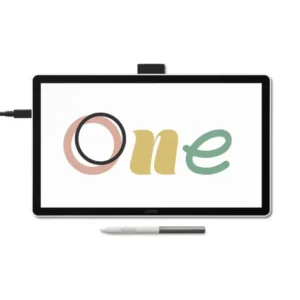
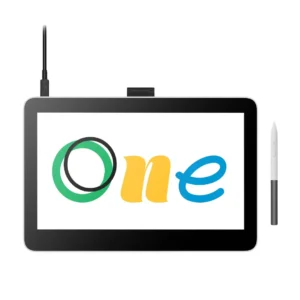
Wacom One Pen Displays are a series of interactive drawing displays from Wacom, designed to let creatives draw, sketch, annotate, and edit directly on screen using a pressure-sensitive pen. The series targets digital artists, students, educators, designers, and photographers who need an affordable, accurate pen display without the price premium of Wacom’s professional Cintiq line. The current lineup includes the Wacom One 12 (DTC121), launched in 2023, the Wacom One 13 Touch (DTH134), also launched in 2023, and the Wacom One 14 (DTC141), introduced in 2025.
Pressure-Sensitive Pen Technology Across the Wacom One Series
All Wacom One Pen Displays share the same core pen input system, which is the strongest technical consistency across the lineup. The Wacom One Standard Pen is cordless, battery-free, and delivers 4096 levels of pressure sensitivity with a tilt recognition range of 60 degrees and a pen resolution of 2540 lpi.
The pen includes two side switches and an 8 mm reading height, meaning it registers input before it physically touches the glass surface. This matters for precise linework in illustration, photo retouching, and architectural markup, where anticipating pen contact improves accuracy.
The Wacom One Standard Pen offers these input characteristics across all three current models:
- 4096 pressure levels for nuanced stroke control in illustration and design
- Battery-free operation — no charging required, eliminating workflow interruption
- 60-degree tilt recognition for natural shading and brush-angle simulation
- 2540 lpi pen resolution for fine detail work in photo editing and CAD markup
- 8 mm reading height to anticipate pen contact before touch
- Two side switches for programmable shortcut actions
Display Quality and Optical Bonding Across the Wacom One Lineup
Display quality is the second defining strength of the Wacom One Pen Display series, particularly on the One 13 Touch and One 14. Both models feature optically bonded IPS panels with anti-glare and anti-fingerprint glass, which eliminates the air gap between the pen surface and the display layer to reduce parallax — the visible offset between the pen tip and the on-screen cursor.
The Wacom One 14 delivers a 14.0-inch FHD 1920 x 1080 IPS display at 98% sRGB colour coverage, 285 cd/m² brightness, a 1000:1 contrast ratio, and a 178-degree viewing angle. The Wacom One 13 Touch reaches 99% sRGB on its 13.3-inch FHD panel. The Wacom One 12 uses an 11.6-inch FHD panel with anti-glare glass but lacks optical bonding, which means slightly higher parallax compared to the other two models.
Multi-Touch Support on the Wacom One 13 Touch
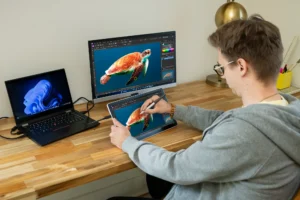
The Wacom One 13 Touch (DTH134) is the only model in the current lineup that supports touch input. It offers 10-finger multi-touch with two-finger and multi-finger gesture support, enabling pinch-to-zoom, rotate, and pan actions directly on the display surface.
This is a meaningful workflow differentiator. Educators using the display for online teaching can navigate slides and annotate simultaneously. Designers presenting to clients can manipulate canvases without returning to a keyboard. Neither the Wacom One 12 nor the Wacom One 14 includes any touch capability, making the One 13 Touch the only choice in the series for gesture-reliant workflows.
Build, Design, and Portability

The Wacom One Pen Display series prioritises a slim, portable form factor across all models. The Wacom One 14 measures 336 x 201 x 10 mm and weighs 750 g, while the Wacom One 13 Touch is just 11.5 mm thin. Both the One 13 Touch and One 14 use anti-glare and anti-fingerprint glass surfaces that resist smudging and reduce screen reflection under office lighting conditions.
The Wacom One 14 is finished in white and is Energy Star certified, confirming energy-efficient operation. Its operating range of 5–40 °C and 30–80% RH (non-condensing) makes it suitable for standard office, studio, and home environments. The slim, lightweight build of the series enables easy transport between workspaces, supporting hybrid and remote working arrangements.
Connectivity and OS Compatibility
Each Wacom One model offers a different connectivity configuration suited to different host device setups. The Wacom One 12 and Wacom One 13 Touch support both HDMI plus USB-A and USB-C with DisplayPort Alt Mode via a 3-in-1 or standard USB-C cable, giving them flexibility with older and newer computers. The Wacom One 14 connects through a single USB-C cable requiring DisplayPort Alt Mode and 15 W power delivery, simplifying setup but requiring a compatible modern port.
OS compatibility across the series covers all major platforms. The Wacom One 12 and One 13 Touch support Windows, macOS, Android, and ChromeOS, and both carry WWCB ChromeOS certification for verified Chromebook compatibility. The Wacom One 14 supports Windows 10 or later, macOS 13.0 or later, and ChromeOS, though WWCB certification is not explicitly confirmed for this model. All models use Wacom driver software on Windows and macOS to integrate with creative applications.
Who Should Buy the Wacom One Pen Display in the UAE?
The Wacom One Pen Display series suits creative professionals and learners who need accurate pen input on a screen without the cost of a professional-grade Cintiq display. Three buyer profiles define the series best.
Digital artists and illustrators benefit from the optically bonded display on the One 13 Touch or One 14, where low parallax and high sRGB accuracy support precise linework and colour-accurate illustration. Students and educators in Dubai and Abu Dhabi using Chromebook-based learning environments will find the WWCB-certified One 12 and One 13 Touch reliable for note-taking, annotation, and interactive online teaching. Graphic designers and photographers working on marketing content for UAE agencies will appreciate the near-sRGB display accuracy on both the One 13 Touch and One 14 for colour-critical editing. Remote workers and content creators who need a portable second display with pen input will benefit from the lightweight builds across the full series.
Wacom One 14 vs Wacom One 13 Touch: Which One Is Right for Your Use Case?
The Wacom One 14 (DTC141) and Wacom One 13 Touch (DTH134) are the two most capable models in the current Wacom One Pen Display lineup. They share the same pen, similar display quality, and overlapping OS support, but differ in touch capability, connectivity flexibility, and screen size.
| Feature | Wacom One 14 (DTC141) | Wacom One 13 Touch (DTH134) |
| Screen Size | 14.0 inches | 13.3 inches |
| Resolution | 1920 x 1080 FHD IPS | 1920 x 1080 FHD |
| sRGB Coverage | 98% (typical) | 99% (typical) |
| Touch Support | None | 10-finger multi-touch with gestures |
| Optical Bonding | Yes | Yes |
| Connectivity | 1 x USB-C (DP Alt Mode + power) | 2 x USB-C; HDMI + USB-A option |
| ChromeOS Certification | Compatible, WWCB not confirmed | WWCB certified |
| Weight | 750 g | Not confirmed |
| Thickness | 10 mm | 11.5 mm |
| Best For | Clean-desk setups, single-cable workflows | Touch-reliant workflows, Chromebook users |
The Wacom One 14 suits users who prioritise a slightly larger canvas, a cleaner single-cable desk setup, and the most current hardware design. Its 14-inch display and 10 mm slim profile make it the most refined option in the series for illustrators and designers working primarily with pen input on modern laptops or workstations.
The Wacom One 13 Touch is the stronger choice for anyone whose workflow relies on gesture interaction — zooming, rotating, and panning content directly on screen. It also offers more connectivity flexibility with HDMI and dual USB-C options, making it the more compatible choice for users with older computers or Chromebook-based setups. Community feedback consistently highlights the One 13 Touch’s multi-touch as a genuine workflow advantage for educators and presenters.
Choose the Wacom One 14 if…
- You work primarily with pen input and do not need touch gestures
- Your workstation has a modern USB-C port with DisplayPort Alt Mode
- You want the largest display in the One series with a clean single-cable setup
- Energy Star certification for sustainable office use is a requirement
Choose the Wacom One 13 Touch if…
- You need 10-finger multi-touch for gesture-based navigation and annotation
- You use a Chromebook and require WWCB-certified compatibility
- Your computer lacks USB-C with DP Alt Mode and needs HDMI connectivity
- You want the highest sRGB coverage in the series at 99%
What Is the Wacom One Pen Display Price in UAE and Where Can You Buy It?
Pricing for the Wacom One Pen Display series varies by model, and the One 12, One 13 Touch, and One 14 are positioned across different price points within the entry-to-mid creative display segment. Pricing is available on request through eTOP, along with current availability, bundle options, and full UAE warranty support.
For confirmed stock, model-specific advice, and accessory pairings such as stands, cases, and additional pens, eTOP is the recommended source for UAE buyers. Reaching out directly ensures you receive accurate pricing for the specific Wacom One model that matches your setup and workflow requirements.
Frequently Asked Questions
What is the Wacom One Pen Display price in UAE?
The Wacom One Pen Display series includes three models — the One 12, One 13 Touch, and One 14 — at different price points. Exact pricing in the UAE is available on request through eTOP, which also provides current stock availability and bundle options for UAE buyers.
Where can I buy the Wacom One Pen Display in Dubai?
The Wacom One Pen Display series is available through eTOP for buyers in Dubai and across the UAE. Contact eTOP directly for model availability, pricing, and support for your specific creative or business requirements.
Does the Wacom One Pen Display come with UAE warranty support?
The Wacom One 14 carries a 1-year warranty as specified in the global product documentation. For UAE-specific warranty terms and after-sales support, confirm details with eTOP at the time of purchase.
Is the Wacom One 14 better than the Wacom One 13 Touch?
The Wacom One 14 (DTC141) offers a larger 14-inch display and a cleaner single-cable USB-C setup, making it the stronger choice for pen-focused workflows. However, the Wacom One 13 Touch (DTH134) is better for users who need 10-finger multi-touch gesture support, WWCB ChromeOS certification, or HDMI connectivity with older computers. Neither model is universally superior — the right choice depends entirely on your connectivity setup and whether touch interaction is part of your workflow.
What is included in the box with a Wacom One Pen Display?
Confirmed in-box contents are not fully detailed in available manufacturer specifications for all models. Based on published product data, the Wacom One models include the pen display unit and the Wacom One Standard Pen. Buyers should confirm exact box contents, cable inclusions, and stand availability with eTOP before purchasing.
Do Wacom One Pen Displays work with Android devices?
The Wacom One 12 and Wacom One 13 Touch both support Android connectivity. However, community feedback notes that connecting to Android smartphones may require multiple USB-C adapters depending on the device, so compatibility should be confirmed for your specific Android model before purchase.
Do Wacom One Pen Displays have express keys?
No. The Wacom One Pen Display series does not include physical express keys or hardware shortcut buttons on the display body. Users rely on keyboard shortcuts or on-screen controls for workflow actions. This is a known limitation compared to higher-end Wacom Cintiq models, and professionals who depend on hardware shortcut keys.