




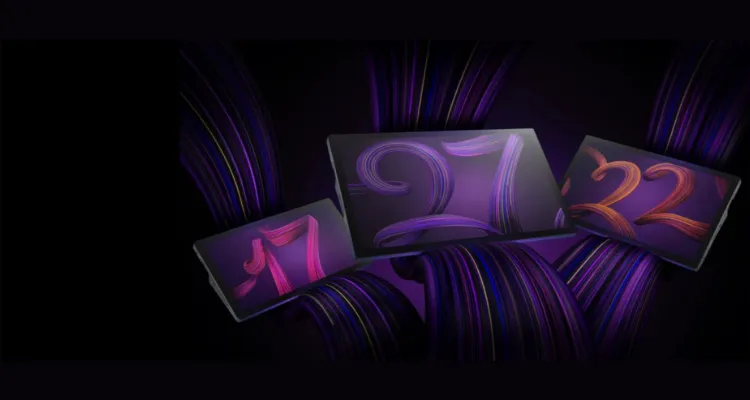
Choosing between two flagship pen displays from Wacom is one of the most consequential decisions a creative professional can make, and the answer is rarely about which is better but rather which is better for you. This article gives you a full, side-by-side comparison of the Wacom Cintiq Pro 17 and Wacom Cintiq Pro 24 across display quality, pen performance, build design, connectivity, and real-world workflow. Whether you work in a studio in Dubai or as a freelancer across the UAE, the right choice will depend on your screen space needs, workstation setup, and the type of creative work you do every day.
What Are the Wacom Cintiq Pro 17 and Wacom Cintiq Pro 24?
The Wacom Cintiq Pro line represents the best professional pen display technology available. Both the Cintiq Pro 17 and Cintiq Pro 24 are built for illustrators, animators, video editors, retouchers, and other creative professionals who need to sketch directly on-screen with studio-quality colour accuracy.
- Cintiq Pro 17 — A 17.3-inch 4K pen display launched in 2024, designed for professionals who need a compact, high-density workspace without sacrificing Pro-level features.
- Cintiq Pro 24 — A 23.6-inch 4K display built for artists who need generous canvas space, application toolbars, timelines, and multi-panel layouts.
Both share the same underlying pen technology and 4K resolution, but the way you experience each one differs significantly due to screen size, pixel density, and workspace demands.
Display Quality: Where the Difference Truly Shows
Display performance is the most critical factor when choosing a professional pen display — and both Cintiq Pro models deliver at a high level. The key distinction is how 4K resolution translates across two very different screen sizes.
Wacom Cintiq Pro 17 Display
The 17.3-inch screen packs 3840 x 2160 pixels into a tight 254 ppi. Individual pixels are virtually imperceptible, making fine detail work in illustration, photo retouching, and motion design feel incredibly sharp. The display runs at a proven 120 Hz refresh rate, which makes every pen stroke feel fluid with almost no lag between hand movement and screen response — a significant advantage for drawing, animating, and scrubbing through video.
Wacom Cintiq Pro 24 Display
The 23.6-inch panel shares the same 3840 x 2160 resolution, which brings pixel density down to 187 ppi. While slightly less sharp at close range, it compensates with approximately 11% wider Adobe RGB coverage than the Pro 17 — a meaningful advantage for print production, prepress workflows, and any process where colour accuracy is critical.
Both models feature anti-glare etched glass that reduces parallax and gives the screen a paper-like feel under the pen.
Full Spec Comparison: Wacom Cintiq Pro 17 vs. Pro 24
Cintiq Pro 17 vs Pro 24: Key Differences
| Feature | Cintiq Pro 17 | Cintiq Pro 24 |
|---|---|---|
| Screen Size | 17.3-inch | 23.6-inch |
| Resolution | 4K UHD | 4K UHD |
| Workspace | Compact & space-saving | Large & immersive |
| Best For | Freelancers, small desks | Studios, professionals |
| Portability | Easy to move | Mostly fixed setup |
| Price Range | More affordable | Higher investment |
Not sure which model fits your workflow?
Get expert advice from eTOP and choose the right Wacom display for your studio.
Pen Technology and ExpressKeys
Both models ship with the Wacom Pro Pen — 8192 levels of pressure sensitivity and 5080 lines per inch resolution. The pen accurately captures subtle changes in stroke weight, opacity, and tilt that competing brands still struggle to match. Drawing on both screens feels natural, with the etched glass surface providing just enough resistance to mimic traditional media.
The Cintiq Pro 17 includes 2 customisable ExpressKeys that can be mapped to actions like undo, brush resize, zoom, or any application-specific shortcut. Combined with on-screen radial menus and the optional Wacom ExpressKey Remote, most professionals find this sufficient without cluttering the device frame. Both models also support multi-touch gestures — pinch to zoom, rotate, and pan — directly on the screen.
Build Quality and Ergonomics
Cintiq Pro 17 — Compact and Mobile-Friendly
Designed for smaller studios, the Pro 17 features thin bezels and a small footprint — ideal for home offices, co-working spaces, and compact studios across Dubai and Abu Dhabi. It fits comfortably alongside an external monitor without consuming excessive desk space. Build quality is clearly high-end, maintaining the same materials and manufacturing standards found across the entire Pro series.
Cintiq Pro 24 — Large Format, Purpose-Built
The 23.6-inch panel requires dedicated desk space and pairs best with the Cintiq Pro 24 Ergo Stand, which allows precise angle and height adjustment for extended working sessions. The drawing area is approximately 1.87 times larger than the Pro 17, providing generous room for application panels, layer palettes, and timeline tracks without constant panning and zooming. The metal build adds a sense of solidity that sets it apart from non-Pro Wacom models with plastic fronts.
Connectivity and Software Compatibility
The Cintiq Pro 17 connects via USB-C with DisplayPort, simplifying cable management and making single-cable connections to laptops and desktops straightforward — a practical advantage in hybrid studio setups where the display switches between computers throughout the day.
Both displays are fully compatible with:
- macOS and Windows
- Adobe Photoshop, Illustrator, Premiere Pro, After Effects
- Clip Studio Paint
- Major 3D sculpting tools (ZBrush, Blender, etc.)
- DaVinci Resolve
Who Should Buy the Cintiq Pro 17 vs. Pro 24 in the UAE?
Choose the Wacom Cintiq Pro 17 If You Are:
- An illustrator, concept artist, or digital painter who prioritises sharpness and responsiveness
- A professional doing fine brushwork, character design, storyboarding, or colour grading
- Working in a small studio, home office, or co-working space in Dubai or Abu Dhabi
- A freelancer who occasionally needs to transport or relocate your setup
The 254 ppi pixel density and 120 Hz refresh rate make this the most responsive drawing experience in Wacom’s current lineup. You are not compromising professional capability by choosing the smaller screen — you are gaining density and speed.
Choose the Wacom Cintiq Pro 24 If You Are:
- A video editor working with complex, multi-track timelines
- A 3D artist who needs to see model detail at full working scale
- A graphic designer keeping multiple panels active simultaneously
- A print production professional who needs maximum Adobe RGB colour accuracy
- Working in a UAE studio with a dedicated workstation and ample desk space
The 1.87× larger canvas transforms complex projects, and the extended Adobe RGB coverage makes it the definitive choice for colour-critical print workflows.
Wacom Cintiq Pro Price in UAE — Where to Buy
Both the Wacom Cintiq Pro 17 and Cintiq Pro 24 are available in the UAE through authorised channels. For current pricing, availability, bundle options, and full UAE warranty support, contact etopme.ae.
Since both models represent significant professional investments, it’s worth exploring package deals that may include stands, pen accessories, or software subscriptions. Always purchase from an authorised seller to ensure a valid UAE warranty and access to genuine Wacom replacement parts and after-sales support.
Key Takeaways
- Both displays share 4K resolution and Pro Pen technology with 8192 pressure levels and 5080 LPI — making both fully capable of the highest level of studio-grade creative work.
- The Pro 17’s 254 ppi pixel density is significantly sharper than the Pro 24’s 187 ppi for close-up illustration and retouching.
- The Pro 17’s 120 Hz refresh rate delivers the most responsive pen drawing experience in Wacom’s current range.
- The Pro 24 offers ~11% more Adobe RGB coverage and nearly double the drawing area — the better choice for print workflows and interface-heavy applications.
- The Pro 17’s compact footprint suits home offices and small studios across Dubai and Abu Dhabi.
- The Pro 24 paired with its Ergo Stand creates an immersive large-format experience that eliminates constant zooming and panning in timeline-heavy or 3D workflows.
- Both feature anti-glare etched glass and multi-touch support for a natural, gesture-driven creative experience.
Frequently Asked Questions
What is the price of Wacom Cintiq Pro 17 cost in the UAE?
Contact etopme.ae for the latest pricing, availability, and current bundle offers along with full UAE warranty details.
Where can I buy the Wacom Cintiq Pro 17 or Pro 24 in Dubai?
Both models are available from etopme.ae, an authorised UAE seller offering genuine products, warranty coverage, and after-sales customer support.
Do both models include a UAE warranty?
Yes. Both the Cintiq Pro 17 and Pro 24 come with a valid UAE warranty when purchased from an authorised seller. Always verify warranty terms before purchasing.
Is the Wacom Cintiq Pro 17 better than the Pro 24?
Neither is universally better. The Pro 17 offers higher pixel density and a guaranteed 120 Hz refresh rate — ideal for detailed work and compact setups. The Pro 24 provides a significantly larger canvas and wider Adobe RGB coverage, making it better suited for video editing, 3D work, and colour-accurate print production.
What is included in the Wacom Cintiq Pro 17 box?
The Cintiq Pro 17 typically includes the Wacom Pro Pen, replacement nibs, connection cables, and setup documentation. Check the current package configuration on etopme.ae before purchasing as bundle contents may vary.
Does the Wacom Cintiq Pro 24 support a stand?
Yes. The Cintiq Pro 24 is compatible with the dedicated Cintiq Pro 24 Ergo Stand, which enables adjustable height and angle for comfortable long-session use. The stand is typically sold separately.
Do both models support multi-touch?
The Cintiq Pro 17 has multi-touch built in. The Cintiq Pro 24 offers touch functionality in its touch variant — ensure you select the correct version when ordering.
Ready to choose between the Wacom Cintiq Pro 17 and Pro 24 for your creative workflow in the UAE? Contact us now and get expert advice on which model suits your studio and professional needs.