
ID Soft Professional Version: The Complete Guide to Modern ID Card Design & Printing Software
If you’ve been searching for reliable ID card design software, ID Soft Professional Version has likely come up. But what exactly is this program — and is it the right choice for your organization? This complete guide covers everything: features, use cases, setup, pricing, and what to look for — so you can make the most informed decision possible.
What Is ID Soft Professional Version?
ID Soft Professional Version is a dedicated ID card design and printing software that allows individuals and organizations to create, customize, and print professional-quality identification cards entirely in-house. It is purpose-built for ID card production — not a general-purpose design tool — which makes it more focused for this specific task than alternatives like Photoshop or Illustrator.
Whether you run a corporate office, a school, a hospital, or an event management company, ID card software of this kind gives you everything needed to produce secure, polished ID cards without outsourcing to a third party.
Key Features to Look for in ID Card Software
When evaluating ID Soft Professional Version — or any ID card software — here are the core features that truly matter for professional use:
1. Easy-to-Use Drag-and-Drop Interface
Beginner-friendly design tools are essential. A drag-and-drop editor should allow anyone to start building their first ID card layout within minutes — no graphic design background required.
2. Pre-Made Templates for Every Industry
A solid template library saves significant time. Look for templates that cover a wide range of use cases, including corporate employee ID cards, student identification, visitor badges, membership cards, event access badges, and healthcare staff IDs — all fully customizable to match your organization’s branding.
3. Powerful Database Integration
This is arguably the most critical feature for any organization printing cards at scale. The software should connect directly to Excel spreadsheets, SQL databases, or similar sources — enabling automatic data import, batch printing, and a significant reduction in manual data entry errors.
4. Advanced Design Tools
Professional ID card software should include webcam or camera photo capture, barcode and QR code generation, signature field integration, watermark and security overlay support, and variable data printing that pulls unique information per card automatically.
5. Wide Printer Compatibility
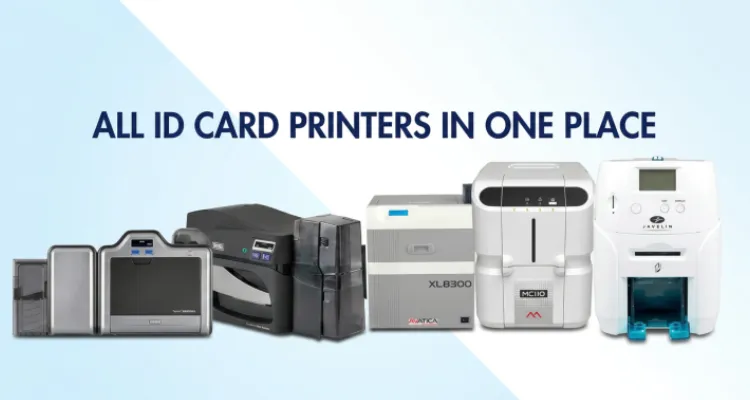
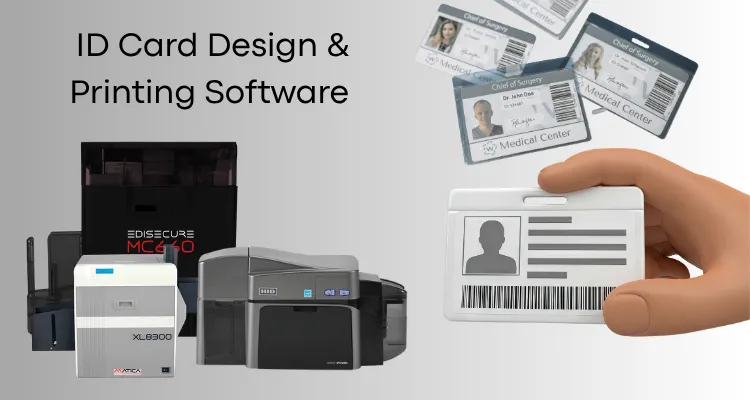
You should never be locked into a single printer brand. Good ID card software supports major manufacturers like Fargo/HID, Zebra, Evolis, Matica, and Javelin — giving you the flexibility to choose the hardware that fits your budget.
6. Security Features
For organizations issuing official credentials, security matters. Look for watermark addition, hologram overlay support, microtext embedding, and ghost image printing to make unauthorized duplication significantly harder.
Real-World Uses Across Industries
Schools & Universities use ID card software to produce student IDs that double as library cards, meal plan cards, and building access credentials. Database integration allows administrators to print hundreds of cards in a single session.
Corporate & Business Environments rely on ID card software to produce employee badges with photos, department information, access levels, and company logos — with easy reissuance whenever roles change.
Event Management teams use QR code generation for trade shows, conferences, and festivals to speed up check-ins and improve on-site security.
Healthcare Facilities produce compliant staff ID badges that clearly display names, roles, and departments — meeting industry identification standards.
Common Questions About ID Card Software
Can it encode smart chips or magnetic stripes? Yes — when paired with a compatible card printer, good ID card software supports encoding for both magnetic stripes and smart card chips.
How many cards can it print at once? With database integration, batch printing jobs of any size — from a handful to several thousand — should be fully supported.
Can I save templates for future use? Any professional-grade software should allow you to save an unlimited number of card templates for retrieval and modification at any time.
Is it suitable for small organizations? Absolutely. Ease of use and one-time or affordable pricing make modern ID card software practical for small businesses, schools, and nonprofits — not just large enterprises.
Looking for ID Card Software in the UAE? Meet IDTOP by eTop
While ID Soft Professional Version is a widely searched product, it may not always be the most accessible or locally supported option — especially for organizations across the UAE and GCC region.
That’s where IDTOP by eTop comes in.
IDTOP is a premium ID card design and printing software developed specifically for businesses, schools, government entities, and financial institutions in the UAE. It delivers every feature you’d expect from professional-grade ID card software — and then some — backed by local installation support, on-site training, and expert technical assistance across the UAE and GCC.
Here’s what makes IDTOP stand out:
- Drag-and-drop design editor with text, logos, photos, barcodes, QR codes, shapes, and signature fields
- Bulk data import from Excel and SQL databases, plus full data export in Excel, CSV, or PDF formats
- RFID, magnetic stripe, and smart chip encoding for bank-grade secure ID cards
- Batch printing with automatic data population — names, photos, and employee numbers across thousands of cards
- Edge-to-edge (full-bleed) printing for polished, border-free card finishes
- Activity logs for complete transparency and auditability of every design, print, or export action
- Full compatibility with Fargo, Javelin, Matica, Zebra, and Evolis printers
- Offline operation — no internet dependency, fully desktop-based
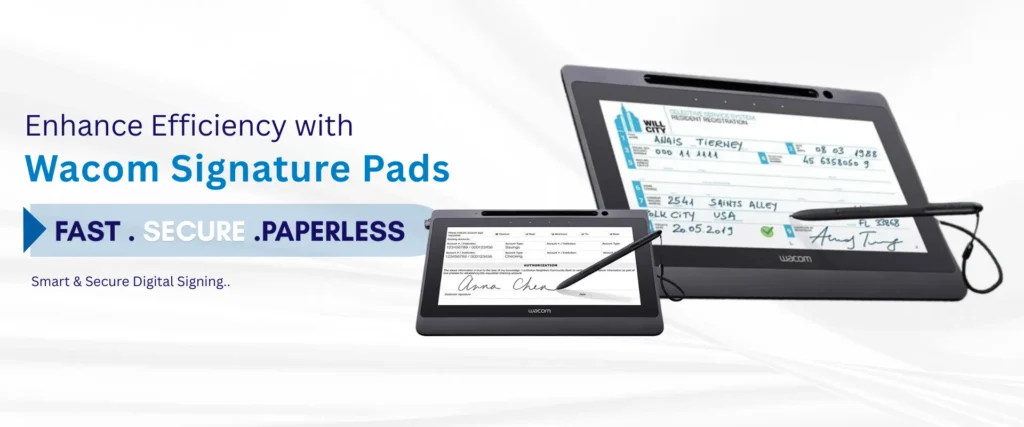
- Wacom signature pad integration for capturing handwritten signatures directly onto cards
Whether you are issuing employee badges for a corporation, student IDs for a university, or access control cards for a facility, IDTOP is built to handle it all — reliably and professionally.
Ready to see IDTOP in action? Request a free demo or contact the eTop team for expert guidance, competitive pricing, and hands-on support tailored to your organization’s needs.
📞 +971 4 455 9007 | ✉️ sales@etopme.ae