

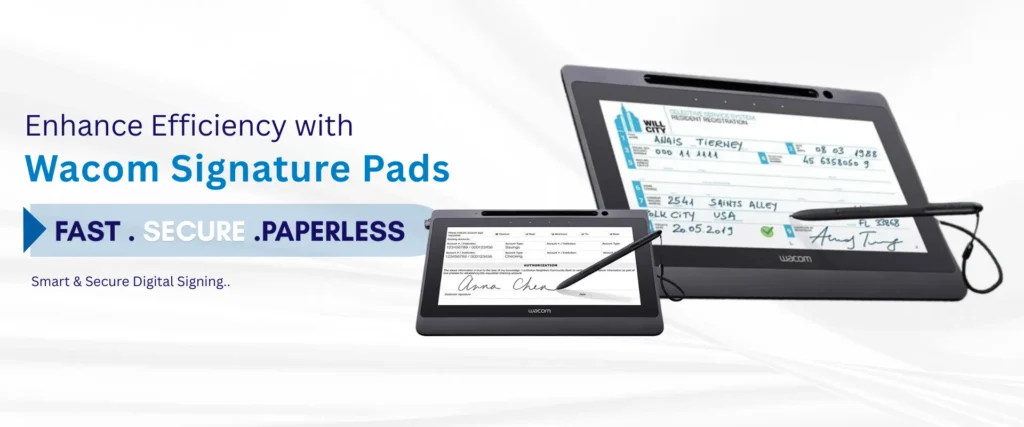
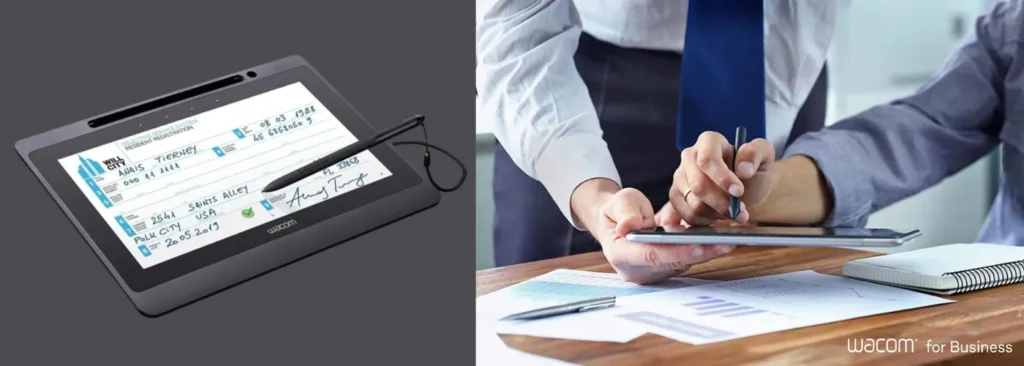
When a signature is required, context is everything. Simply signing a name in a small box without seeing the full context can feel disconnected and risky, especially for important documents. The Wacom DTU-1141B solves this problem by providing a 10.1-inch interactive pen display that lets users view, review, and sign documents directly on a full-color HD screen.
It’s a professional-grade solution built for corporate, legal, and healthcare settings where full-document visibility isn’t just a nice-to-have—it’s a requirement. This device ensures signers know exactly what they’re agreeing to, creating a transparent and secure paperless workflow.
Wacom DTU-1141B at a Glance
Let’s break down the technical specifications of DTU-1141B and know what make this pen display stand out.
| Technical Specification | Details |
|---|---|
| Screen Size | 10.1-inch Full HD Display (1920 × 1080) |
| Supported Resolutions | 800 × 600 up to 1920 × 1080 |
| Pen Technology | 1,024 Pressure Levels, Cordless & Battery-Free Electromagnetic Pen |
| Data Security | RSA/AES Encryption with a Unique Hardware ID for Every Device |
| Physical Security | Integrated Kensington Security Slot |
| Connectivity | Single USB 2.0 Cable (Bus-Powered) |
| Supported Operating Systems | Windows 7, Windows 8, Windows 8.1, Windows 10, macOS 10.9 or Later |
| Mounting Options | Integrated 15° Adjustable Stand & VESA 75 mm Mount Compatible |
Note: Before deployment, always check Wacom’s official driver page for the latest supported versions of Windows and macOS.
How does the DTU-1141B keep signatures secure?
The DTU-1141B protects every signature with state-of-the-art RSA/AES encryption. This ensures that the signature data is completely secure from the moment it’s captured until it’s stored. In addition, each device has a unique hardware ID, allowing a signed document to be traced back to the exact unit used for signing, providing an undeniable audit trail. For physical security, the built-in Kensington Security Slot lets you lock the unit down to a desk or counter, reducing the risk of theft in busy, high-traffic areas like reception desks or patient check-in counters.
Who is the Wacom DTU-1141B for?
This full-screen display is perfect for any environment where signers need to read what they’re signing. It eliminates the need for printing, shrinking, or excessive scrolling on a primary monitor.
- Legal Offices: Ideal for reviewing multi-page contracts and legal documents. Clients can read every clause comfortably before applying their digital signature.
- Healthcare Admissions: Allows patients to read consent forms, privacy policies, and treatment plans in their entirety on a dedicated screen before signing.
- Corporate & Government: Provides a professional, paperless check-in process for visitors signing NDAs or for employees signing internal HR documents.
Ready to provide a seamless, secure signing experience?
What’s the difference between the DTU-1141B and a Wacom STU pad?
It all comes down to one key factor: document visibility. The Wacom DTU-1141B is a full-screen pen display. This means the signer sees the entire document on its 10.1-inch HD screen, allowing them to read and review before signing.
In contrast, Wacom’s STU series pads are compact signature capture pads. They are designed to quickly capture a signature on a small screen without displaying the full document.
- Choose the DTU-1141B when the signer must read what they’re signing (contracts, consent forms, agreements).
- Choose an STU pad for high-volume, transactional signature capture where the document is viewed on a separate monitor (e.g., retail point-of-sale, package delivery).
How easy is it to set up the DTU-1141B?
Setup is remarkably simple. The device connects to your computer and receives power through a single USB cable, which cuts down on clutter and means you don’t need to hunt for a separate power outlet. For operation, you’ll typically need the standard Wacom pen driver and a DisplayLink driver for the video-over-USB connection. However, many modern builds of Windows 10 and later can support the display natively, often making a separate DisplayLink install unnecessary.
The DTU-1141B is fully compatible with leading eSignature software like eTOPSign for creating encrypted, legally-binding signed documents. It also works with Wacom’s own sign pro PDF software and offers robust SDKs for creating custom integrations.
Key Takeaways:
- Full Document Visibility: The 10.1″ Full HD screen lets users read documents completely before signing.
- Advanced Security: Features RSA/AES encryption and a unique hardware ID for a secure audit trail.
- Single-Cable Simplicity: Connects and powers on with just one USB cable, minimizing desk clutter.
- Professional & Versatile: Ideal for legally-binding contracts, healthcare consent forms, and corporate check-ins.
- Natural Signing Experience: The battery-free pen with 1,024 pressure levels feels just like writing on paper.
Frequently Asked Questions
What operating systems does the Wacom DTU-1141B support?
The DTU-1141B is compatible with a wide range of operating systems, including Windows 7, 8, 8.1, 10, and macOS 10.9 or later. Because OS support is updated over time, we always recommend checking Wacom’s official driver support page before a large-scale deployment.
Is the Wacom DTU-1141B suitable for hospitals or legal offices?
Absolutely. Its full-screen document view is specifically designed for these environments, where it’s crucial for patients or clients to read and understand multi-page consent forms, contracts, or agreements before signing.
Does the DTU-1141B work with eTOPSign?
Yes, it is fully compatible with eTOPSign. When used together, they create a complete solution for capturing encrypted, document-bound digital signatures that are legally valid.
How much pressure sensitivity does the DTU-1141B pen have?
The included pen is cordless, battery-free, and supports 1,024 levels of pressure sensitivity. This allows it to capture a detailed and natural-looking signature, including biometric data.
Can multiple people use the same DTU-1141B in a shared office?
Yes, the unit is built for shared use at a reception desk, check-in counter, or single workstation. Each signature is individually secured by the device’s RSA/AES encryption and tied to its unique hardware ID, ensuring the integrity of every document signed.
Interested in bundling this display with powerful eSignature software?
Ask our specialists about DTU-1141B + eTOPSign packages.