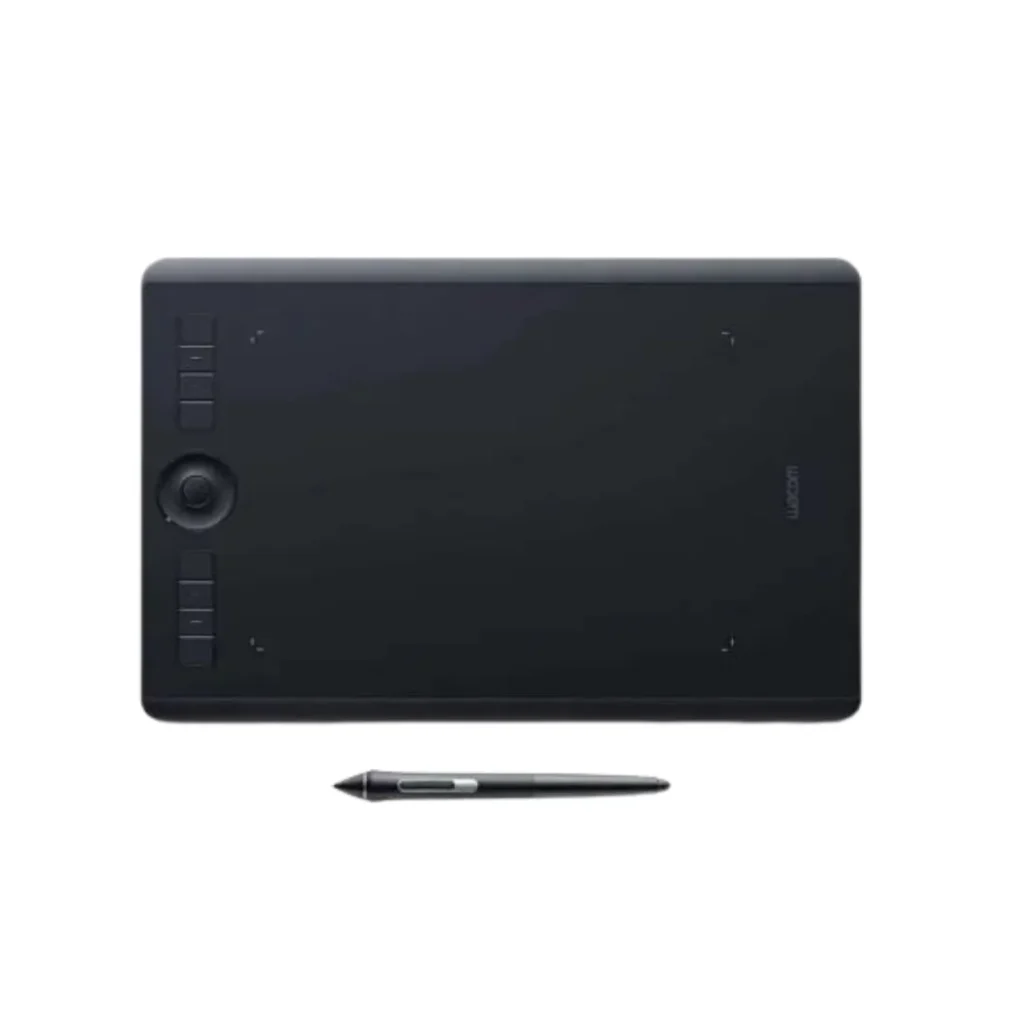
Wacom Tablet Intuos Pro Medium North - PTH-660-N
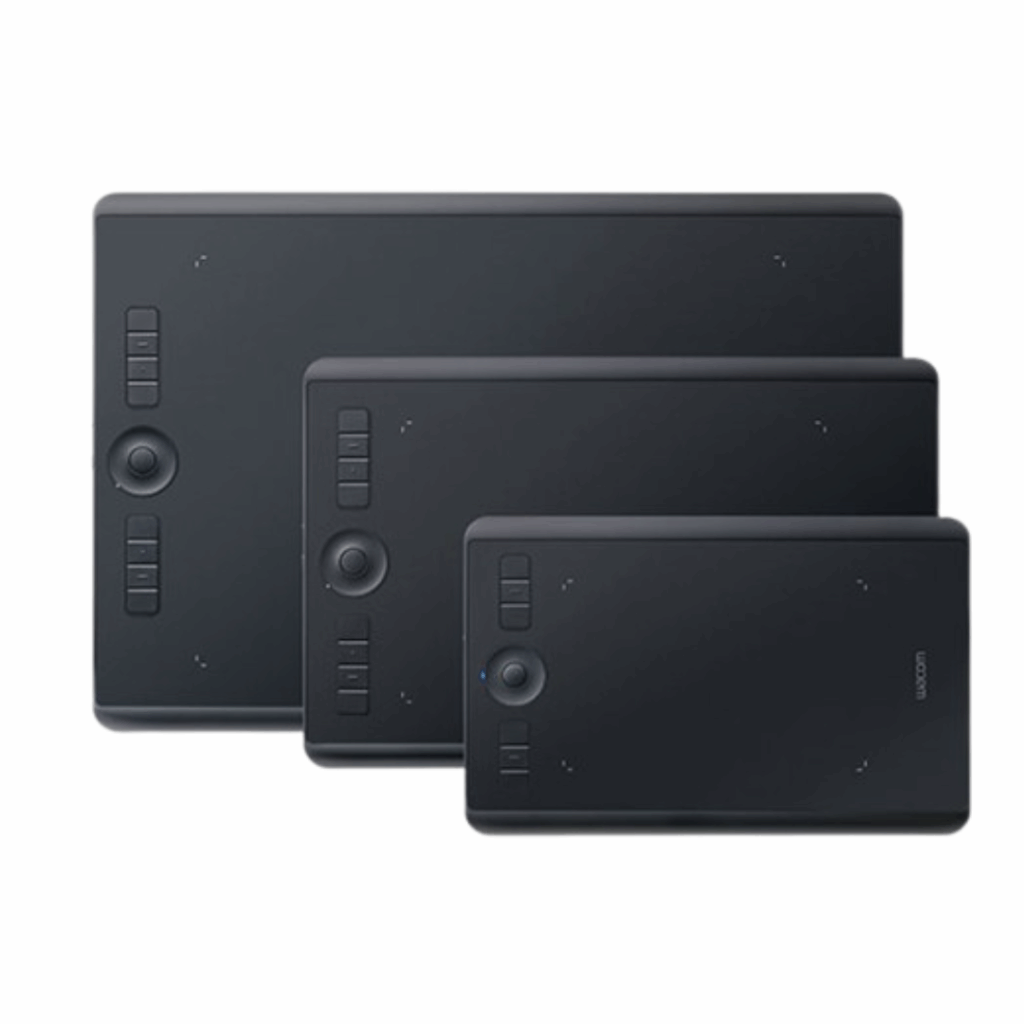
The Wacom Intuos Pro Medium (PTH-660-N) is the 2017 generation professional pen tablet, featuring the Wacom Pro Pen 2 with 8,192 levels of pressure sensitivity, multi-touch gestures, and a refined surface texture.
• Active area: 224 × 148 mm (Medium size)
• Wacom Pro Pen 2: 8,192 pressure levels, ±60° tilt, battery-free
• Multi-touch support (finger gestures on the tablet surface)
• 8 customizable ExpressKeys + Touch Ring
• Bluetooth 4.2 wireless + USB wired
• Paper Edition variant available (sketch on physical paper, digitize simultaneously)
• Left/right-hand ambidextrous design
• Compatible: Windows 7+, macOS X 10.11+
Tags: Wacom Intuos Pro
Wacom Intuos Pro Pen Tablet (Size: M) / Medium Professional Graphic Tablet incl. Wacom Pro Pen 2 Stylus with Replacement Tips / Compatible with Windows & Apple. Available in Small, Medium, and Large, the 2017 Intuos Pro introduced Bluetooth wireless and a redesigned, slimmer form factor. The PTH-660-N (North region) Medium offers a 224 × 148 mm active area, 8 ExpressKeys, and a Touch Ring — making it a capable professional tool for digital artists, illustrators, and graphic designers.
| Specification | Value |
| Model Code | PTH-660-N |
| Generation | 2017 (previous generation) |
| Active Area (Medium) | 224 × 148 mm |
| Pen | Wacom Pro Pen 2 (battery-free, cordless) |
| Pen Pressure Levels | 8,192 |
| Pen Tilt Recognition | ±60 degrees |
| ExpressKeys | 8 customizable keys |
| Touch Ring | Yes, 1 |
| Multi-touch | Yes (finger gestures) |
| Bluetooth | Bluetooth 4.2 Classic |
| Color | Black |
| Compatible OS | Windows 7 or later, macOS X 10.11 or later |
GET A FREE QUOTE
2017 vs 2025 Intuos Pro — Key Differences
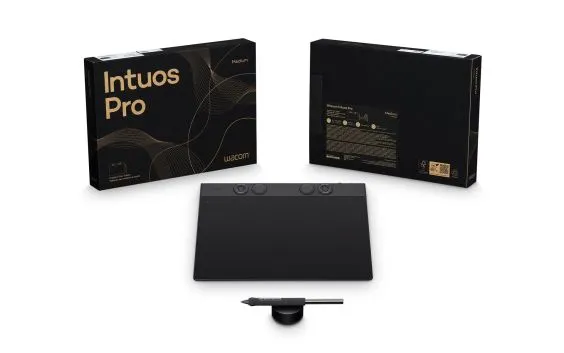
When you compare the 2017 PTH-660 to the 2025 model, the PTK670, there are some key differences. For one, the 2017 version has multi-touch support, which is actually missing from the 2025 version. It also has Bluetooth 4.2, whereas the 2025 model has Bluetooth 5.3. Additionally, the 2017 model comes with the Pro Pen 2, while the 2025 model has the newer Pro Pen 3. On the other hand, the 2025 model is thinner and lighter, and it has an upgraded digitizer that’s more accurate. So, if you need to use multi-touch gestures, the 2017 model is still a good option. It’s worth considering what features are most important to you before deciding which one to choose.
Paper Edition Capability
The Intuos Pro Medium 2017 has a special version called the Paper Edition, which is also known as the PTH-660P-N. This version has a clip on the side that can hold a piece of paper in place over the tablet. What’s really cool about this is that artists can use a fineliner to draw on the physical paper, and at the same time, their drawing will be captured digitally. This is a great way to combine traditional and digital art methods, making it a really unique tool for creatives. It’s like having the best of both worlds – the feel of drawing on real paper, but also the convenience of having a digital copy of your work.
Does the Wacom Intuos Pro Medium 2017 (PTH-660) support multi-touch?
Yes. The 2017 Intuos Pro models support multi-touch finger gestures on the tablet surface, which is not available on the 2025 (PTK670) model.
What pen does the Wacom PTH-660 use?
The Wacom Pro Pen 2 — with 8,192 pressure levels and ±60° tilt recognition. It is battery-free using EMR technology.
Is the Wacom Intuos Pro 2017 still good?
Yes. The Pro Pen 2 and 8,192 pressure sensitivity remain professional-grade specifications. It is a capable tablet for illustration, design, and retouching, particularly for users who value multi-touch gestures.
Should I buy the Intuos Pro 2017 or 2025?
If multi-touch gestures matter to you, the 2017 model is the only current Intuos Pro option with that feature. Otherwise, the 2025 model offers meaningfully better pen performance (Pro Pen 3), thinner design, Bluetooth 5.3, and longer battery life.
Buy / Quote CTA Get the Wacom Intuos Pro Medium 2017 (PTH-660-N) in UAE from eTOP.
Authorized Wacom dealer in Dubai.
Call +971 4 455 9007.
Is the Intuos Pro Small too small for illustration?
Many professional illustrators use the Small comfortably, especially those who draw primarily from the wrist or elbow. However, if you draw with full-arm movements or use a large monitor, you may prefer the Medium or Large for a more natural drawing-to-screen proportion.