
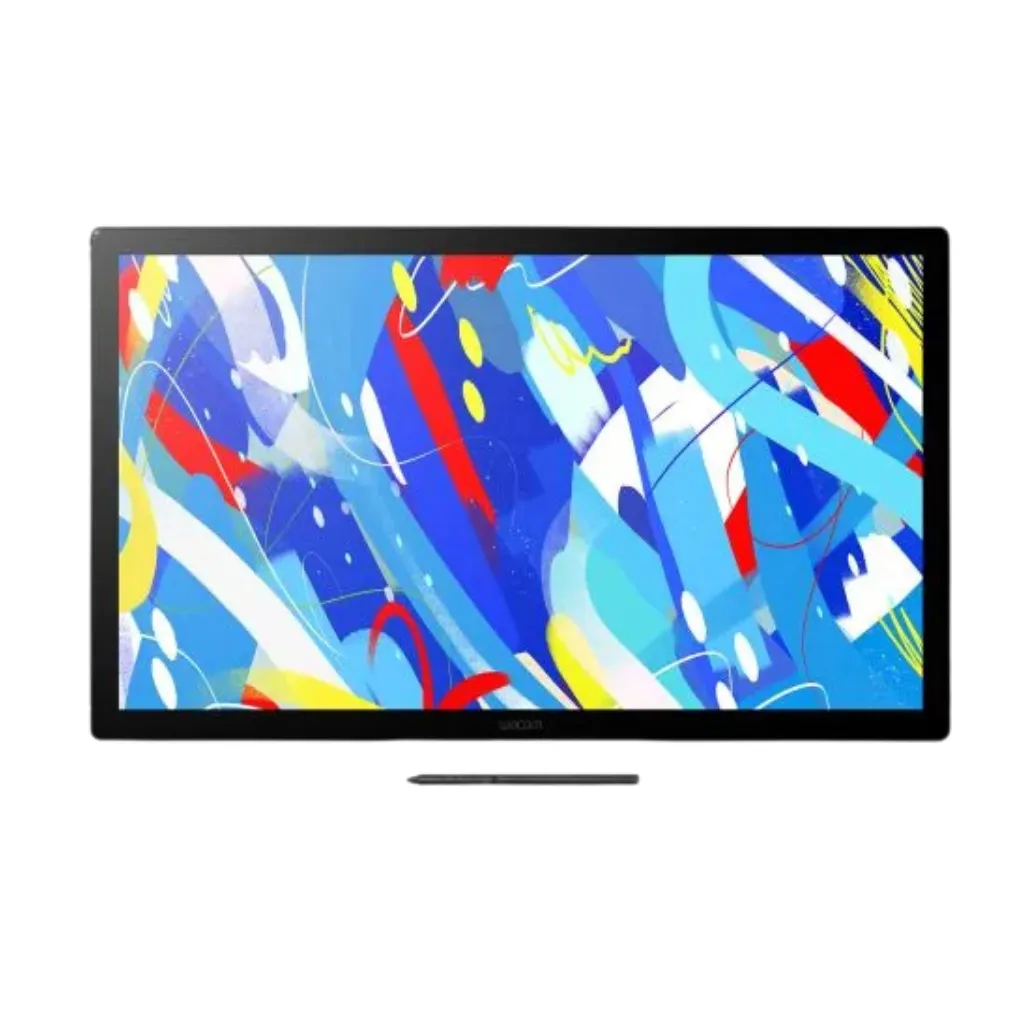
Wacom Cintiq DTK246
Professional 23.8-inch Creative Pen Display
The Wacom Cintiq DTK246 is a professional 23.8-inch creative pen display built for digital artists, illustrators, animators, and designers who demand precision, color accuracy, and a completely natural drawing experience. With a 2560 x 1440 resolution IPS screen, 100% sRGB color coverage, and the industry-leading Wacom Pro Pen 3, the DTK246 gives you a spacious, high-fidelity canvas that responds to every stroke exactly the way you intend it to. Available in the UAE through eTOP, the authorized Wacom distributor in Dubai.
- 8″ 2.5K IPS Display
- Wacom Pro Pen 3 with 8,192 Pressure Levels
- Fanless, Silent Operation
- Flexible Connectivity for Any Studio Setup
SKU: DTK246K0A
The Wacom Cintiq DTK246 is designed from the ground up to remove the gap between your idea and the screen. The 23.8-inch IPS display with anti-glare etched glass delivers near-zero parallax, meaning your pen stroke appears exactly where the tip touches — not offset, not delayed. For illustrators, this precision is the difference between feeling connected to your art and feeling like you’re working through a pane of glass.
The 2560 x 1440 (2.5K) resolution display, with 100% sRGB color coverage and 8-bit color depth, ensures that every gradient, skin tone, and subtle hue renders faithfully. What you see on the DTK246 is what your client, your audience, or your print shop sees — a critical assurance for professional creative work.
At the heart of the DTK246 is the Wacom Pro Pen 3 — the third generation of Wacom’s most refined pen technology. With 8,192 levels of pressure sensitivity, ±60° tilt recognition, and three programmable side switches, the Pro Pen 3 captures every nuance of your drawing style. Feather-light sketches, bold expressive marks, and everything in between register with complete accuracy. The pen is battery-free, uses Wacom’s EMR technology, and never needs charging.
The adjustable stand, included with the DTK246, provides a smooth tilt range from 16° to 69°, letting you find your ideal working angle whether you’re doing detailed linework, loose gesture drawing, or color work. VESA 75x75mm mount compatibility means you can also attach the DTK246 to a professional monitor arm for ergonomic positioning in any studio setup.
The fanless design is not just about silence — it’s about focus. With zero moving parts and an advanced passive cooling system, the DTK246 runs cool and quiet even during extended rendering or paint-intensive sessions. Compatible with Windows, macOS, and Android, it integrates into any existing creative pipeline without friction.
Display
- Model: Wacom Cintiq DTK246
- SKU: DTK246K0B
- Display Size: 23.8 inches (60.5 cm diagonal)
- Active Drawing Area: 527 x 296 mm
- Resolution: 2560 x 1440 (2.5K WQHD)
- Aspect Ratio: 16:9
- Display Type: IPS LCD with anti-glare etched bonded glass
- Color Gamut: 100% sRGB
- Color Depth: 8-bit
- Brightness: 350 cd/m²
- Response Time: 12 ms
Pen
- Pen Model: Wacom Pro Pen 3
- Pen Technology: EMR (Electromagnetic Resonance) — battery-free
- Pressure Levels: 8,192
- Tilt Recognition: ±60°
- Pen Side Switches: 3 programmable buttons
- Pen Resolution: 5080 LPI
Connectivity & Setup
- Connectivity: USB-C (DisplayPort Alt Mode / Thunderbolt 3+), HDMI (mini HDMI), USB-A
- VESA Mount: 75 x 75 mm
- Stand Angle: 16° to 69° (adjustable, included)
- Multitouch: No
- Fan / Noise: Fanless — silent operation
Compatibility & Software
- OS Compatibility: Windows 10 or later, macOS 13.0 or later, Android 8 or later
- Bundled Software: Up to 6 months Clip Studio Paint EX (registration required)
Physical
- Weight (with stand): Approx. 5.7 kg
- Thickness: Approx. 21 mm
Ideal Use Cases
- Illustration, graphic design, photo editing, animation, manga, 3D texturing
GET A FREE QUOTE
Who Is the DTK246 For?
- Freelance illustrators and concept artists who need professional-grade tools without overpaying for features they won’t use
- Photographers and retouchers who require accurate color reproduction and a wide, precise drawing surface
- Animation and manga artists working in Clip Studio Paint EX, Adobe Animate, or similar software
- Students and emerging professionals building their portfolio and looking for their first serious pen display
- Small studios equipping individual workstations on a smart budget