Wacom DTK-168E 16" QHD+ Pen Display for Business
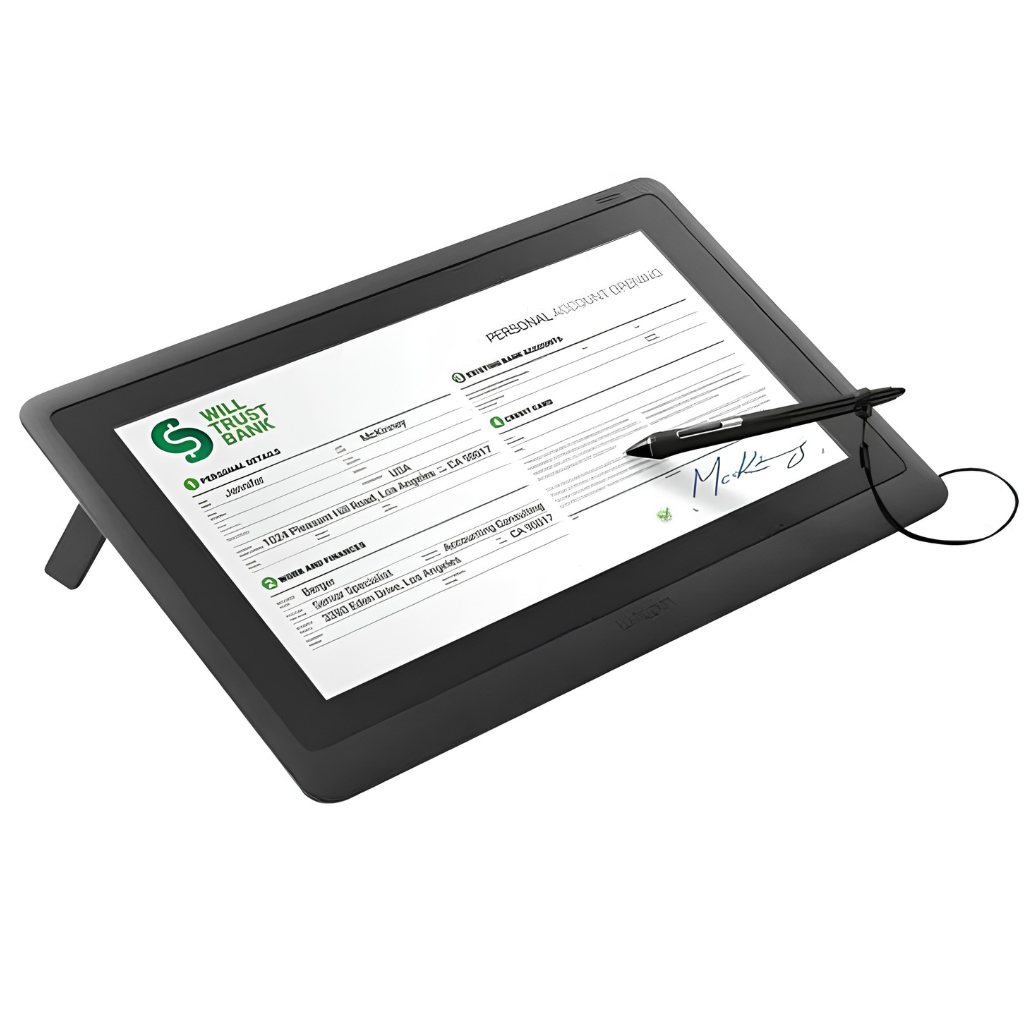
The Wacom DTK-168E is a 16-inch WQXGA (2.5K) pen display built for paperless business workflows and in-person customer interactions. With 8,192 levels of pen pressure and AES 256 / RSA 2048 encryption, it captures biometrically accurate electronic signatures while giving customers the familiar feel of writing on paper.
The anti-glare etched glass surface resists scratches and cuts reflections, and the full-flat, fanless design rotates between landscape and portrait for signing A4 or letter-sized documents, integrating cleanly into desks, counters and kiosks.
- 16.0" WQXGA IPS display, 2560 x 1600 resolution, anti-glare etched tempered glass
- 8,192 pressure levels with EMR pen technology, supplied with Wacom Pro Pen 3E
- AES 256 and RSA 2048 encryption for secure, biometrically accurate signature capture
- Single USB-C (DisplayPort Alt Mode) or mini HDMI + USB, fanless, VESA 75 x 75 mm
The Wacom DTK-168E is a premium 16-inch pen display designed to sit at the centre of a digital documentation process. It helps organisations compress end-to-end document workflows from days to minutes while removing the cost of printing, handling, distributing, storing and securely disposing of paper.
Exceptional performance and reliability
Built on Wacom market-leading pen display technology. Customisable pen buttons help prevent accidental input while writing, and a built-in tether hole keeps the pen secured to the device.
Clear, comfortable viewing
Edge-to-edge anti-glare etched glass improves clarity and reduces reflection, giving a seamless, pixel-free experience at 2.5K resolution when viewing or signing full-screen A4 and letter-sized documents.
Low maintenance, long-lasting
The fully covered, scratch-resistant glass surface is built for daily use and easy to clean, supporting a long product life with minimal maintenance.
Lower document fraud risk
Industry-leading AES 256 and RSA 2048 encryption secures data transmission and protects sensitive information across the workflow.
Flexible, versatile placement
The full-flat design supports easy rotation between landscape and portrait, ideal for viewing and signing A4 or letter-sized documents. The slim profile allows integration into desks and kiosks, and the fanless architecture keeps operation silent.
Neat, streamlined workspace
Minimise cable clutter: a single USB-C port with DisplayPort Alt Mode carries power and data with no separate power adapter required, or connect via mini HDMI and USB for compatibility with a wider range of host devices.
General
- Model: DTK-168E
- Dimensions (W x H x D, excl. stand): 259 x 384 x 15 mm
- Weight (incl. stand): 2.0 kg
- Stand inclination: 20 degree integrated stand
- Power supply: AC 100 to 240 V, 50/60 Hz
- Power consumption: 19 W or less via AC adapter; 15 W or less via USB-C Power Delivery
- Communication interface: USB 2.0
- Programmable buttons: Not applicable
- Supported operating systems: Windows 10 / 11 (64-bit), macOS 13 or later
Display
- Panel type: IPS LCD
- Screen size: 16.0 inches (40.6 cm)
- Native resolution: 2560 x 1600 (WQXGA, 2.5K)
- Aspect ratio: 16:10
- Cover glass: AG etched tempered glass
- Touch input: No
- Video input: DisplayPort via USB-C DP Alt Mode; HDMI via mini HDMI port
- Viewing angles: 178 / 178 degrees
- Colours: 16.7 million
- Brightness: 290 cd/m2 (typical)
- Contrast ratio: 1400:1 (typical)
- Response time: 12 ms (typical)
Pen and digitiser
- Technology: Electromagnetic Resonance (EMR)
- Pen supplied: Wacom Pro Pen 3E
- Pressure levels: 8,192
- Coordinate resolution: 5,080 lpi
- Report rate: 240 points per second
- Reading height: 10 mm
- Encryption: AES 256 / RSA 2048
Software, mounting and warranty
- Pen storage: Pen stand
- Security lock slot: Yes, Kensington
- Mounting system: VESA 75 x 75 mm
- Signature software compatibility: Compatible with signature / eSign software and Wacom sign pro PDF; C++, .NET and Java SDK/API available for developers
- Drivers: Wacom driver 6.4.10 or above required
- Warranty: 3 years
In the box
- Wacom DTK-168E pen display
- Wacom Pro Pen 3E with button plate and nib removal tool
- Vari-angle pen stand with replacement nibs
- Pen tether
- USB-C to C cable
- Mini HDMI to HDMI cable
- USB-C to A cable
- USB-C power cable and power adapter
- Quick Start Guide and Important Product Information